Quick Quote





The best servers for AI and machine learning are GPU-accelerated systems matched to your workload. For large-scale training and big language models, the leading enterprise choices are 8-GPU NVIDIA HGX platforms, such as the Dell PowerEdge XE9680, Gigabyte HGX H100/B200 systems, Supermicro Blackwell systems, and Lenovo HGX H200 servers. For smaller teams, inference, and local development, a single- or dual-GPU server or workstation with RTX-class cards often makes more sense.
Choosing an AI server is not like choosing a regular business server. The wrong GPU, too little memory, or a weak network can leave a six-figure machine underused. This guide explains what matters, compares the main options, and helps you decide whether to buy, build, or rent.
What Is an AI Server?
An AI server is a computer built to run machine learning workloads, mainly by using GPUs (graphics processing units) instead of relying only on CPUs. GPUs can do thousands of calculations in parallel, which is exactly what neural networks need.
A typical AI server has five main parts:
- GPUs or accelerators that do the heavy math
- CPUs that prepare data and manage the system
- System RAM that holds datasets and supports data loading
- NVMe SSD storage that feeds data to the GPUs quickly
- High-speed networking and interconnects that let GPUs and servers work together
The same hardware can serve very different jobs, so it helps to separate them first.
Match the Server to Your Workload First
Training vs. inference
Training means teaching a model from data. It needs the most GPU compute, the most GPU memory, and fast GPU-to-GPU communication, especially for large models spread across several GPUs.
Inference means using a trained model to produce answers, images, or predictions. It usually needs less raw power per request, but it cares about latency, throughput, and cost per query. Many inference workloads run well on smaller or cheaper GPUs.
Classic machine learning vs. deep learning
Classic machine learning, such as gradient-boosted trees, regression, and clustering on tabular data, often runs fine on a strong CPU server with lots of RAM. Deep learning, including computer vision, speech, and language models, is where GPUs become essential.
LLMs and generative AI
Large language models are limited mostly by GPU memory. A rough rule of thumb:
- Inference in 16-bit precision needs about 2 bytes per parameter. A 7-billion-parameter model needs around 14 GB just for weights, and a 70B model needs around 140 GB.
- 4-bit quantized models shrink this a lot. A 70B model can drop to roughly 35–40 GB.
- Full training with common optimizers can need around 16 bytes per parameter or more, before counting activations. That is why a 7B model can need over 100 GB during training.
Best AI Servers: Best For
The best AI server depends on your workload. Large server systems like the Dell PowerEdge XE9680 and Lenovo HGX H200 are best for big model training and LLMs, while smaller RTX-based Server Systems work well for local development and inference.
Now let's look at each in more detail.
Enterprise AI Server Options
Dell PowerEdge XE9680
The PowerEdge XE9680 is Dell's flagship 8-GPU server for generative AI and deep learning. It is a popular choice for enterprises that want a mainstream vendor, established support contracts, and integration with existing Dell infrastructure.
Good fit: companies training or fine-tuning large models in their own data center that value vendor support and lifecycle management.
Watch out for: very high power and cooling needs. An 8-GPU node can draw several kilowatts, so check your rack power and airflow before you order.
Gigabyte HGX H100/B200 Systems
Gigabyte builds HGX-based servers around both Hopper (H100/H200) and Blackwell (B200) GPUs. These systems suit teams that want dense multi-GPU training capacity and more flexibility in configuration.
Good fit: research labs, AI startups, and cloud providers building scalable GPU clusters.
Watch out for: support and delivery vary by region and reseller, so confirm warranty terms and lead times.
Supermicro NVIDIA Blackwell Systems
Supermicro offers one of the broadest ranges of HGX and Blackwell servers, including liquid-cooled designs for high-density racks. If you plan a large deployment, cooling design is as important as the GPU choice.
Good fit: organizations planning new-generation AI infrastructure at scale, or those wanting custom configurations.
Watch out for: liquid cooling needs facility support. Air-cooled versions are simpler but limit density.
Lenovo HGX H200 Systems
Lenovo's HGX H200 servers focus on memory-heavy workloads. The H200 has 141 GB of HBM3e memory per GPU, compared with 80 GB on the standard H100, and its memory bandwidth is higher too.
Good fit: LLM inference and fine-tuning where model size and long context lengths are the limits.
Watch out for: if your models fit comfortably in 80 GB per GPU, you may not need the extra memory.
Best GPUs for AI Servers: H100 vs. H200 vs. B200 vs. RTX
The GPU is the biggest factor in both performance and price. Here is a simple comparison.
How to Choose the Best Server for Machine Learning
Start with the workload rather than the server brand.
Determine whether the system will be used primarily for training, inference, fine-tuning, research, computer vision, or generative AI.
Next, identify the model size and expected GPU memory requirement.
Consider how many GPUs the application can actually use. Adding accelerators provides little value when the software cannot distribute work efficiently.
Then evaluate storage throughput, system memory, CPU capability, networking, power requirements, and cooling.
Finally, calculate the total cost of ownership rather than looking only at the purchase price.
An enterprise AI server may require higher-capacity power circuits, specialized racks, advanced cooling, high-speed network switches, additional storage, support contracts, and trained administrators.
Best Server for AI Training
For serious training, prioritize three things:
- GPU compute and memory. An 8-GPU HGX server is the standard building block.
- GPU-to-GPU communication. NVLink and NVSwitch let GPUs exchange data at very high speed. On Hopper systems, NVLink provides up to 900 GB/s per GPU, and Blackwell doubles that to 1.8 TB/s. This matters a lot when a model is split across GPUs.
- Networking between servers. If you train across multiple nodes, you need fast fabrics such as InfiniBand or high-speed Ethernet, since slow networking leaves expensive GPUs waiting.
Good options include the Dell XE9680, Gigabyte HGX systems, and Supermicro Blackwell servers.
Best Server for AI Inference
Inference has different priorities. You care about response time, throughput, and cost per request.
- For smaller models or moderate traffic, a server with one to four mid-range GPUs is often enough.
- For large LLMs with many users, memory and bandwidth matter most, which is where H200 systems shine.
- For real-time applications like recommendations or fraud detection, low latency and stable performance matter more than peak training speed.
A common mistake is buying training-class hardware for an inference job. Check first whether quantization, batching, or a smaller model can meet your needs.
Best Server for LLMs and Generative AI
For LLM work, think in this order:
- How big is the model? Estimate memory as shown above.
- What is the context length? Longer contexts increase KV cache memory.
- How many users at once? More concurrency needs more memory and throughput.
- Are you training, fine-tuning, or only serving? Fine-tuning with methods like LoRA needs far less memory than full training.
For large models, an 8-GPU H200 or Blackwell server is a strong fit. For fine-tuning smaller models, one to four GPUs are often enough.
Best Small AI Server for Local Machine Learning
Not every team needs a data-center machine. Many developers, researchers, and small businesses run useful AI work locally. Benefits include data privacy, predictable costs, and no per-hour cloud charges.
A good small AI server or workstation might include:
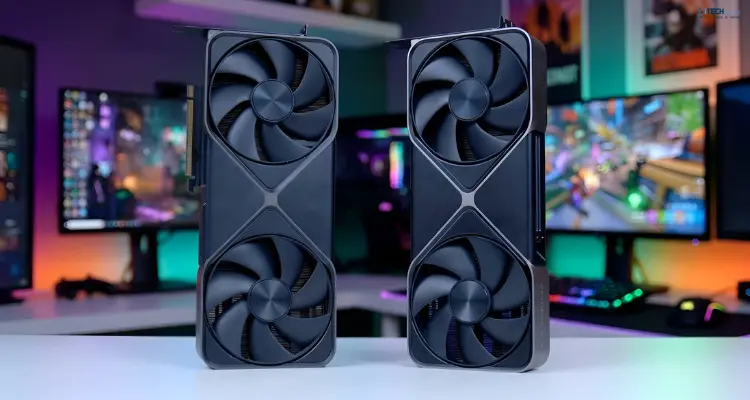
- One to four GPUs: RTX 4090 for budget builds, or RTX 6000 Ada or newer professional cards for more memory and reliability
- CPU: a modern multi-core processor with enough PCIe lanes for your GPUs
- RAM: at least 64 GB, and 128 GB or more if you work with larger datasets
- Storage: a fast NVMe SSD for active data, plus larger drives for archives
- Power and cooling: GPUs draw a lot of power, so check your power supply capacity and case airflow
AI Server Hardware Requirements
GPU and GPU memory
This is the most important component. For most modern AI work, GPU memory decides which models you can run at all.
CPU
The CPU does not train the model, but a weak one can starve the GPUs of data. Look for enough cores for data loading and enough PCIe lanes to connect all GPUs at full speed. For pure classic machine learning, a strong CPU matters much more.
System RAM
A common rule is to have at least as much system RAM as total GPU memory, and more if you preprocess large datasets in memory.
NVMe storage
Training reads the same large datasets repeatedly. Slow storage can leave GPUs idle. Fast NVMe drives, sometimes in RAID or paired with a network file system, keep data flowing.
NVLink, NVSwitch, and networking
For multi-GPU servers, NVLink and NVSwitch let GPUs act more like one big processor. Without them, GPUs communicate over slower PCIe paths, which hurts large-model training. For multi-server clusters, add InfiniBand or fast Ethernet.
Power and cooling
An 8-GPU H100-class server can draw around 10 kW under full load. Newer Blackwell systems can draw more. Plan rack power, cooling, and even floor loading before you buy. This is one of the most overlooked costs.
AI Server Pricing and Cost Factors
Prices change fast and depend on the vendor, configuration, and market supply, so treat any number here as a rough guide and request current quotes.
As a general picture:
- Small local AI servers or workstations typically cost a few thousand to tens of thousands of dollars, depending on GPUs.
- Enterprise 8-GPU H100/H200-class servers typically run into the hundreds of thousands of dollars.
- Blackwell-class systems generally cost more than Hopper-class ones, especially for new releases.
The main cost drivers are:
- GPU type and count (the biggest factor)
- GPU memory size
- CPU, RAM, and NVMe capacity
- Networking hardware
- Cooling and power infrastructure
- Support contracts and warranties
- Software licenses
Also budget for ongoing costs: electricity, cooling, rack space, and staff time to maintain the system.
On-Premise AI Server vs. Cloud GPU Server
There is no universal winner, but the trade-offs are clear.
Buy on-premise when:
- You run AI workloads steadily and for years
- You have strict data privacy or compliance needs
- You have the facilities and staff to run the hardware
Rent cloud or dedicated GPU servers when:
- Your workload is occasional or unpredictable
- You want to test hardware before buying
- You need to scale quickly without upfront capital
Consider a hybrid if you want to keep sensitive data and steady workloads on-premise, and burst to the cloud for peaks. A simple check: if you would use a GPU heavily for most of the year, owning often becomes cheaper than renting over time. If usage is light or uncertain, renting usually wins.
Build vs. Buy: Which Is Better?
Building your own (common for small AI servers and workstations) gives you flexibility and lower cost, but you handle compatibility, cooling, and troubleshooting yourself.
Buying a pre-built system costs more but includes testing, support, and warranty. For enterprise deployments where downtime is costly, that support is often worth it.
How to Choose an AI Server: A Simple Checklist
- Define the workload. Training, fine-tuning, inference, or classic machine learning?
- Estimate model size and memory needs. Include context length and concurrency for LLMs.
- Pick the GPU class. Match memory and speed to your needs, not to marketing.
- Check the supporting hardware. CPU lanes, RAM, NVMe, and networking should not bottleneck the GPUs.
- Plan power and cooling. Confirm your facility can handle it.
- Compare total cost. Include energy, support, and staff time, not just the purchase price.
- Decide buy, build, or rent. Base it on how often you will use it.
- Test before committing. Run your own workload on a rented or trial system when possible.
Why Buy AI Servers From iTech Devices?
Choosing AI infrastructure involves more than comparing model numbers.
The right system must balance GPU performance, accelerator memory, CPU resources, system RAM, storage capacity, networking, cooling, scalability, and budget.
At iTech Devices, the goal should be to help customers evaluate the complete requirement rather than oversell unnecessary hardware.
Organizations planning a machine learning server deployment should document the model type, training or inference workload, expected dataset size, desired GPU count, storage needs, and deployment environment before requesting a configuration.
Final Thoughts
The best server for AI and machine learning is the one that fits your workload, model size, budget, and facilities. Enterprise HGX systems from Dell, Gigabyte, Supermicro, and Lenovo lead for large-scale training and LLMs, while smaller RTX-based servers give excellent value for development and local inference.
Start with the workload, work out memory needs, and then choose the GPU and supporting hardware. Test with your own data before you commit, and plan for power and cooling from day one. That approach avoids the most common and costly mistakes.
Need help choosing the right configuration? The iTech Devices team can help you compare options and match hardware to your AI goals.
FAQs
Which is the best AI server?
There is no single best server. For large-scale training and big LLMs, 8-GPU NVIDIA HGX systems from Dell, Gigabyte, Supermicro, and Lenovo are leading choices. For smaller teams, an RTX-based server or workstation is often the better value.
Which server is used for AI?
AI workloads typically run on GPU-accelerated servers. Enterprise teams often use multi-GPU systems with NVIDIA H100, H200, or Blackwell GPUs. Smaller projects use servers or workstations with one to four GPUs.
Do I need a GPU for machine learning?
Not always. Classic machine learning on tabular data often runs well on CPUs. Deep learning, computer vision, and LLMs generally need GPUs for reasonable speed.
How much GPU memory do I need for an LLM?
As a rough estimate, a 7B model needs about 14 GB in 16-bit precision for inference, and a 70B model needs about 140 GB. Quantization can reduce this, while training needs much more. Always add headroom for context length and multiple users.
What is the difference between NVLink and PCIe?
Both connect components, but NVLink is much faster for GPU-to-GPU communication. It matters most when a model is split across multiple GPUs.
How much power does an AI server use?
Small workstations may draw under 2 kW. Enterprise 8-GPU servers can draw around 10 kW or more, so plan your power and cooling early.