
 Quick Quote

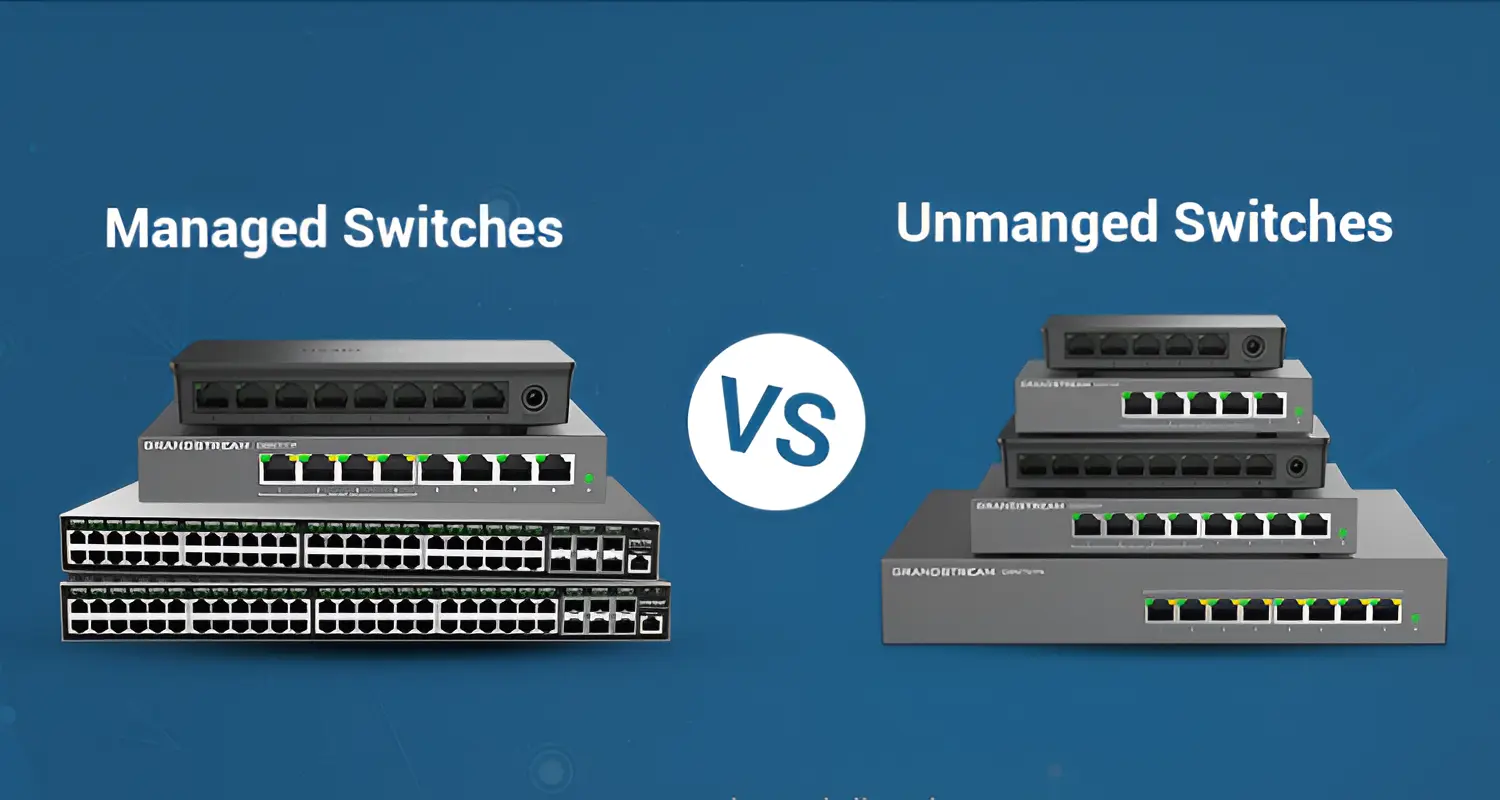


If you've ever stood in front of a wall of network switches at a store — or scrolled through dozens of near-identical listings online — wondering why some cost AED20 and others cost AED500, you're not alone. The short answer is this: unmanaged switches are for simple, plug-and-play port expansion, while managed switches give you control, visibility, and security over your network. Which one you need depends entirely on what your network actually has to do.
At iTech Devices, we get asked this question almost daily, from homeowners setting up a few smart cameras to small businesses wiring up an office. This guide breaks down the real differences, when each type makes sense, and where a lot of buyers end up overspending — or underspending — on the wrong hardware.
Managed vs Unmanaged Switch: Quick Answer
An unmanaged switch works the moment you plug it in — no setup, no login, no configuration. A managed switch requires setup but gives you VLANs, traffic prioritization (QoS), monitoring, and remote administration. If you just need more Ethernet ports, go unmanaged. If you need to control, segment, or monitor traffic, go managed.
Managed vs Unmanaged Switch: Comparison Table
This table alone answers most of what people are searching for — but the "why" behind each row matters just as much as the row itself.
What Is an Unmanaged Network Switch?
An unmanaged switch is a networking device that simply extends the number of available Ethernet ports on your network. It has no interface, no login page, and no settings to adjust. You connect it between your router and your devices, and it automatically forwards data to the correct port.
How an Unmanaged Switch Works
Every device connected to the switch gets recognized by its hardware address (MAC address). When data arrives, the switch reads the destination address and sends the data straight to the right port — no configuration, no decisions required from you. This is why unmanaged switches are often described as "dumb" switches, though that's a bit unfair; they're doing exactly what they're designed to do, just without flexibility.
Advantages of Unmanaged Switches
- No setup time — connect and go
- Lower cost, often under $30 for a 5-port model
- No technical knowledge required
- Reliable for straightforward tasks like connecting a PC, printer, and smart TV
Limitations
- No way to separate traffic types or devices
- No visibility into what's happening on the network
- No remote troubleshooting if something goes wrong
- Can become a bottleneck as your network grows
Best Use Cases for Unmanaged Switches
- A home network with a handful of devices
- Adding a couple of extra ports near a desk or entertainment center
- Small offices with no VoIP phones, security cameras, or sensitive data segmentation needs
What Is a Managed Network Switch?
A managed switch gives you direct control over how traffic moves through your network. You access it through a web dashboard, a mobile app, or a command-line interface (CLI), and from there you can configure everything from VLANs to port-level security settings.
VLANs (Virtual Local Area Networks)
VLANs let you split one physical network into multiple logical networks. For example, you could keep your office computers on one VLAN, your security cameras on another, and guest Wi-Fi on a third — all running through the same switch, but completely isolated from each other. This is one of the single most valuable features a managed switch offers, especially for security.
QoS (Quality of Service)
QoS lets you prioritize certain types of traffic over others. If you're running VoIP phones or video conferencing alongside regular internet use, QoS ensures voice and video packets get priority, reducing choppiness and lag — even when the network is busy.
Important clarification: QoS does not make your internet connection faster. It only changes how existing bandwidth is prioritized. A managed switch won't turn a 100 Mbps connection into a 500 Mbps one — that's determined by your internet plan and port speeds (Gigabit, 2.5GbE, 10GbE), not by switch management features.
SNMP and Monitoring
Simple Network Management Protocol (SNMP) allows the switch to report data like port status, traffic volume, and errors back to a monitoring tool. This is how IT teams catch problems — a failing cable, a misbehaving device, or unusual traffic spikes — before they cause downtime.
Remote Management
Managed switches can typically be accessed remotely, meaning you (or your IT provider) can check status, adjust settings, or troubleshoot without being physically on-site. For businesses with multiple locations, this is a major time-saver.
Security and Segmentation
Beyond VLANs, managed switches often support port security (limiting which devices can connect to which port), access control lists, and the ability to disable unused ports entirely — reducing the risk of someone plugging in an unauthorized device.
Network Redundancy and Advanced Topology
Features like Spanning Tree Protocol (STP), link aggregation, and switch stacking allow managed switches to be arranged in redundant configurations (like ring or mesh topologies), so if one connection fails, traffic reroutes automatically. This matters for businesses that can't afford network downtime.
What is a Smart or Lightly Managed Switch?
This is the category most comparison articles skip — and it's often the best fit for a lot of buyers.
A smart switch (sometimes called "easy smart" or "lightly managed") sits between unmanaged and fully managed. It typically offers basic VLAN support and QoS through a simplified web interface, without the full complexity — or full price tag — of an enterprise-grade managed switch.
Think of it as a middle step:
Unmanaged ? Smart/Lightly Managed ? Fully Managed
Smart switches are a strong fit for:
- Home lab enthusiasts who want VLANs without enterprise-level complexity
- Small businesses that need basic traffic control but don't have dedicated IT staff
- Anyone who wants some monitoring capability without a steep learning curve
If Cisco-level configuration sounds intimidating but "unmanaged" feels too limiting, a smart switch is usually the right answer.
Managed vs Unmanaged Switch: Key Differences
Configuration
Unmanaged switches need none. Managed switches require you to log in and set things up, which takes time but pays off in control.
Network Control
Managed switches let you decide exactly how traffic moves. Unmanaged switches simply pass traffic through with no decision-making involved.
Security
Managed switches support VLAN isolation, port security, and access restrictions. Unmanaged switches offer none of this — every device on the switch can technically "see" every other device.
Performance Management
Managed switches let you prioritize latency-sensitive traffic like VoIP or video calls. Unmanaged switches treat all traffic equally, which is fine until your network gets busy.
Monitoring
Only managed switches give you visibility into port activity, errors, and traffic volume.
Scalability
Unmanaged switches work fine for small, static networks. Managed switches scale better because you can reorganize and control traffic as your network grows.
Cost
Unmanaged switches are cheaper upfront. Managed switches cost more but can prevent costly downtime or security incidents down the line.
Ease of Use
Unmanaged switches win here — zero learning curve. Managed switches require some familiarity with networking concepts, though modern dashboards have made this much more approachable than it used to be.
Managed vs Unmanaged Switch for Home
For most home networks, an unmanaged switch is genuinely enough. If you're just adding ports for a desktop, a smart TV, and a game console, there's no meaningful benefit to managed features.
That said, a managed or smart switch makes sense at home if you:
- Run multiple IoT devices and want to isolate them from your main network for security
- Have a home lab or self-hosted server setup
- Use VoIP for a home office
- Run several security cameras and want dedicated bandwidth for them
- Simply want visibility into what's using your network
A common real-world example: a household with smart cameras, a couple of smart speakers, and various IoT gadgets is a good candidate for VLAN segmentation — keeping those devices isolated from laptops and phones reduces the risk if one IoT device gets compromised.
Managed vs Unmanaged Switch for Small Business
Business networks tend to outgrow unmanaged switches quickly, even if it's not obvious at first. Common triggers include:
- Adding VoIP phone systems (QoS becomes valuable almost immediately)
- Installing IP security cameras (these generate constant traffic that benefits from a dedicated VLAN)
- Separating guest Wi-Fi from internal systems
- Needing to troubleshoot connectivity issues without an on-site IT visit
- Preparing for growth — adding more employees, devices, or locations
Even a small office with 10–15 devices can benefit from managed switching once cameras, phones, and guest access enter the picture. It's less about company size and more about network complexity.
Which Network Switch Do You Need?
If you're still unsure, a good rule of thumb: if downtime, security, or performance issues would actually cost you money or cause real disruption, invest in a managed switch. If your network is simple and stable, an unmanaged switch will serve you just fine.
Managed Switch vs Router
These devices are often confused, but they serve different purposes. A router connects your local network to the internet and assigns IP addresses. A switch connects devices within your local network to each other. A managed switch doesn't replace a router — it works alongside one, giving you more control over internal traffic once it's already inside your network.
Unmanaged Switch vs Hub
Hubs are largely obsolete now, but the comparison still comes up. A hub broadcasts incoming data to every connected port, regardless of which device it's meant for — this creates unnecessary traffic and collisions. An unmanaged switch is smarter: it identifies the correct destination port and sends data only there, making it far more efficient even without any configuration.
Final Thoughts
The real question isn't "which switch is better" — it's "what does your network actually need to do." An unmanaged switch handles simple port expansion reliably and affordably. A managed switch earns its higher price tag when you need control, security, and visibility. And if you're caught in between, a smart switch often hits the sweet spot without overwhelming complexity or cost.
At iTech Devices, we stock all three categories, and our team is happy to help you match the right switch to your specific setup — whether that's a home network with a few smart devices or a business network running phones, cameras, and multiple departments side by side.
FAQs
Why would I need a managed switch?
You'd need one if you're running VoIP, managing IP cameras, want to isolate IoT devices, require network monitoring, or expect your network to grow in complexity. It's also useful if downtime or security incidents would be costly.
Is a managed switch faster?
Not inherently. Speed is determined by port standards (like Gigabit or 2.5GbE) and your internet connection, not by whether a switch is managed. What a managed switch improves is how traffic is prioritized and controlled, not raw speed.
Are managed switches more secure?
Yes, generally. Features like VLAN segmentation, port security, and the ability to disable unused ports give you far more control over who and what can access your network compared to an unmanaged switch.
Can I connect a managed switch to a router?
Yes. A managed switch connects to your router just like an unmanaged one would — the router still handles internet connectivity and IP address assignment, while the switch manages traffic within your local network.