
 Quick Quote

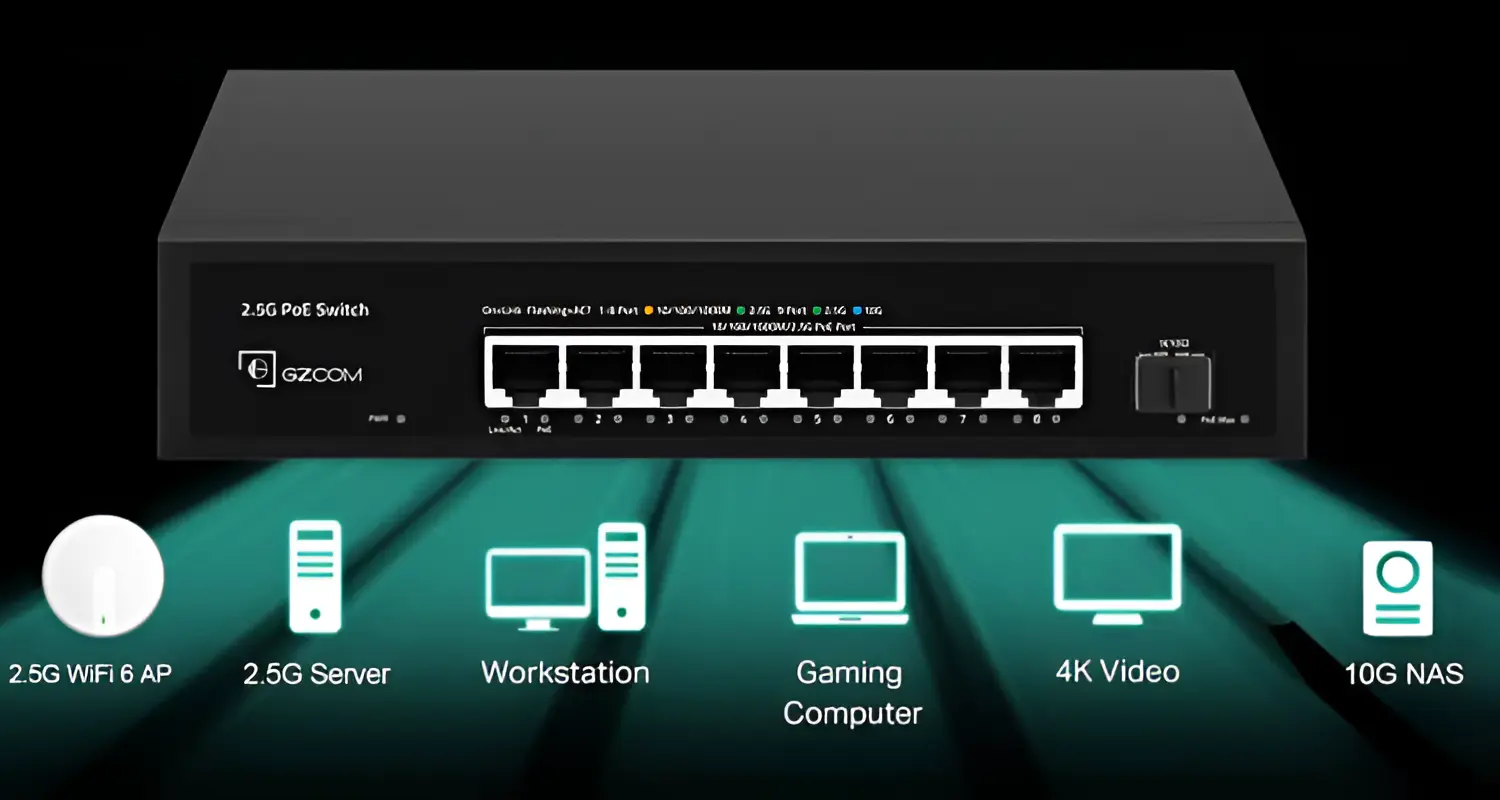


If you're setting up a network for your office, retail store, warehouse, or villa in Dubai, Abu Dhabi, or Sharjah, you've likely come across PoE switches while comparing network switches for your business. Unlike standard network switches, PoE switches deliver both data and electrical power through a single Ethernet cable, making them the go-to choice for powering IP cameras, wireless access points, and VoIP phones without extra wiring.
As demand for smart offices and CCTV surveillance grows across the UAE, choosing the right type of network switch has become a critical decision for businesses and homeowners alike. This guide breaks down everything you need to know — from power standards to port counts — so you can confidently select the best PoE switch for your setup.
What is a PoE Switch and How Does It Work?
A PoE switch is a network switch that delivers both data and electrical power to connected devices through a single Ethernet cable. Instead of running separate power cables to every IP camera, access point, or VoIP phone, a PoE switch eliminates the need for extra wiring and power outlets near each device.
Technically, the switch acts as power sourcing equipment (PSE), sending power down the same Cat5e or Cat6 cable that carries network data. The connected device — called a Powered Device (PD) — negotiates with the switch to safely receive the correct voltage and wattage.
This makes PoE switches especially popular in the UAE for:
- CCTV and IP camera installations in commercial buildings and residential compounds
- Wireless access points for offices, hotels, and retail spaces
- VoIP phone systems for call centers and corporate offices
- Digital signage and smart building devices
Understanding PoE Standards: 802.3af, 802.3at, and 802.3bt
Not all PoE switches are created equal. The IEEE standard determines how much power a switch can safely deliver to each device.
Why the difference between switch output and device-available power?
Some power is lost over the cable run, so manufacturers rate the available power slightly lower than what the switch actually sends. When shopping, always check the device's power requirement against what the switch guarantees at the port — not just the switch's total rating.
How Much PoE Power Do You Actually Need?
This is where many buyers in the UAE go wrong — they focus purely on port count and ignore the power budget, which is the total wattage a switch can distribute across all its ports simultaneously.
Here's a simple formula to calculate what you need:
Required PoE Budget = Total Device Wattage × 1.2 (20% safety margin)
Example: If you're installing 8 IP cameras that each draw 12 W:
- 8 × 12 W = 96 W
- 96 W × 1.2 = 115.2 W
You'd want a switch with a usable PoE budget of at least 120 W — not just one with "PoE+ ports," since a switch can technically support 30 W per port but still cap out well below that if every port is active at once.
Key takeaway: Per-port capacity is not the same as total power budget. Always check both specs before purchasing.
Managed vs Unmanaged PoE Switches
One of the most important decisions when buying a PoE switch is whether you need a managed or unmanaged model.
For a small villa or single-camera setup, an unmanaged switch is usually sufficient. For businesses running multiple cameras, VLAN-segmented networks, or enterprise Wi-Fi, a managed switch offers far better control, security, and long-term flexibility — an investment worth making for growing UAE businesses.
Choosing the Right Port Count
PoE switches typically come in 4, 8, 16, 24, and 48-port configurations. Here's a quick guide:
- 4–8 ports—Ideal for small offices, retail shops, or homes with a handful of cameras or access points
- 8–16 ports—Suited to medium-sized businesses, small hotels, or multi-camera CCTV setups
- 24–48 ports — Designed for large offices, warehouses, or enterprise-grade surveillance networks
PoE Switch for CCTV and IP Camera Installations
CCTV is one of the most common reasons UAE businesses and homeowners invest in PoE switches — and for good reason. Dubai and Abu Dhabi have some of the highest surveillance adoption rates in the region, whether for regulatory compliance, retail loss prevention, or residential security.
When selecting a PoE switch specifically for CCTV, consider:
Number and Type of Cameras
Fixed cameras typically need less power than PTZ (pan-tilt-zoom) cameras, which may require 802.3at or 802.3bt due to their motorized components.
NVR Integration
Make sure your switch is compatible with your Network Video Recorder (NVR) setup, particularly if you're using a plug-and-play NVR with built-in PoE ports versus a standalone switch feeding into a separate NVR.
Cable Distance
Standard Ethernet (including PoE) has a maximum reliable run of 100 meters. For larger properties or warehouses, plan camera placement and switch location accordingly, or consider PoE extenders.
Backup Power (UPS)
For critical surveillance systems, pairing your PoE switch with a UPS ensures cameras stay operational during power outages — an important consideration for UAE businesses handling sensitive areas or after-hours security.
How to Connect a PoE Switch
- Connect the switch to your router or main network using the designated uplink port.
- Connect your PoE devices (cameras, access points, phones) to the PoE-enabled ports using Cat5e or Cat6 cable.
- Power on the switch — most devices will automatically negotiate power requirements.
- Configure VLANs or QoS settings (managed switches only) to prioritize camera or voice traffic.
- Test each connected device to confirm both power and data are functioning correctly.
PoE Switch vs PoE Injector: Which Should You Choose?
If you only need to power one or two devices, a PoE injector may be a cheaper short-term solution. However, for any installation involving multiple cameras, access points, or scalable infrastructure, a dedicated PoE switch is the more reliable, cost-effective, and manageable long-term choice — especially for commercial deployments across the UAE.
Passive PoE vs Standard (IEEE) PoE
It's worth noting that not all "PoE" products follow the IEEE standard. Some budget cameras and switches use passive 24V PoE, which is not standardized or negotiated the way 802.3af/at/bt systems are. Mixing passive PoE devices with standard IEEE PoE equipment can potentially damage non-PoE devices, so always verify compatibility before connecting new hardware — particularly when integrating equipment from different brands.
Final Thoughts
Choosing the right PoE switch isn't just about port count — it's about understanding your power requirements, network scale, and future growth plans. Whether you're securing a retail store in Sharjah, building out a smart office in Dubai, or expanding your surveillance network in Abu Dhabi, the right PoE switch will save you time, reduce cabling costs, and give your network room to grow.
At iTech Devices, we stock a wide range of managed and unmanaged PoE switches from trusted networking brands, suited for homes, SMEs, and enterprise deployments across the UAE. Our team can help you calculate your power budget, recommend the right port configuration, and ensure your CCTV, Wi-Fi, or VoIP setup runs smoothly from day one.
Ready to upgrade your network? Browse our full range of PoE switches at iTech Devices today, or get in touch with our IT specialists for a free consultation tailored to your business needs across Dubai, Abu Dhabi, and beyond.
FAQs
What is a PoE switch used for?
A PoE switch powers and connects networked devices like IP cameras, wireless access points, and VoIP phones through a single Ethernet cable, eliminating the need for separate electrical wiring.
Do I need a PoE switch for IP cameras?
If your cameras support PoE (most modern IP cameras do), a PoE switch is the most efficient way to power and network them simultaneously, especially for multi-camera setups.
What's the difference between PoE and PoE+?
PoE (802.3af) delivers up to 15.4 W per port, while PoE+ (802.3at) delivers up to 30 W, making it suitable for higher-power devices like PTZ cameras and enterprise access points.
Is a managed PoE switch better than an unmanaged one?
It depends on your needs. Managed switches offer VLAN support, remote monitoring, and better security controls, making them ideal for businesses, while unmanaged switches suit simpler, smaller setups.
Can a PoE switch connect directly to my router?
Yes, PoE switches connect to your existing router or modem via the designated uplink port, extending both network and power capabilities to connected devices.
What cable should I use for a PoE switch?
Cat5e is sufficient for most standard PoE applications, but Cat6 is recommended for higher power delivery (PoE++) and better performance over longer distances.