Quick Quote




Best Server Processors for Business & Data Centers in UAE
Choosing the right server processor affects far more than raw computing speed. For businesses and data centers in the UAE, the CPU influences virtualization capacity, database performance, application response times, server density, power consumption, cooling requirements, and long-term infrastructure costs.
Two processor families dominate modern enterprise server environments: Intel Xeon and AMD EPYC. Both are designed for demanding workloads, but they differ in core density, platform features, memory architecture, power requirements, and workload suitability.
For most UAE organizations, there is no single server processor that is “best” for every use case. A processor that performs well for a high-density virtualization cluster may not be the most cost-effective choice for a small business application server. Similarly, an AI server, database server, web-hosting platform, and ERP system can have very different CPU requirements.
This guide explains how Intel Xeon and AMD EPYC processors compare, which server CPUs suit common enterprise workloads, and what UAE businesses should consider before investing in new server infrastructure.
Server Processors for UAE Businesses
The right processor depends primarily on workload, server platform, scalability requirements, software compatibility, and budget.
Rather than buying the CPU with the largest specification numbers, businesses should match processor resources to the applications they actually plan to run.
What is a Server Processor?
A server processor is a CPU designed for continuous, multi-user, multi-workload operation. It differs from a desktop chip in several ways:
- More cores and threads, so many tasks run in parallel.
- More memory channels and higher memory capacity, often into the terabytes per server.
- ECC memory support, which detects and corrects memory errors that would otherwise crash applications or corrupt data.
- More PCIe lanes for NVMe storage, network cards and GPUs.
- Multi-socket capability, letting two CPUs share one server.
- Enterprise security and management features aimed at business and data-center use.
The two dominant manufacturers are Intel, with its Xeon line, and AMD, with EPYC. Both are sold inside the major server ranges from Dell, HPE and Lenovo.
Best Intel Xeon Processors for Business Servers
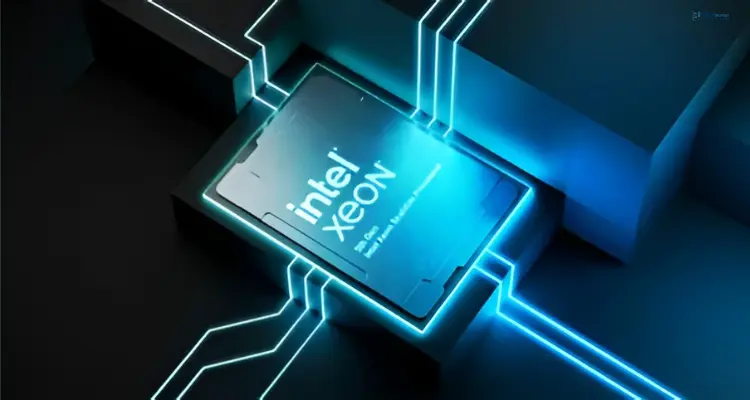
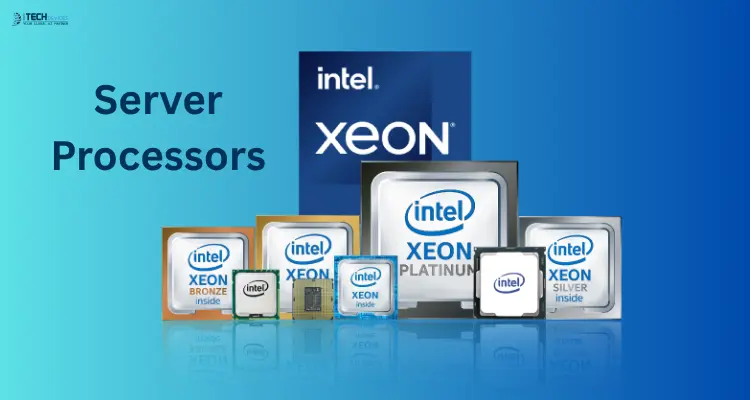
Intel Xeon Scalable processors remain the default in many enterprise environments. The reasons are practical: long software certification history, mature server platforms, and features such as built-in acceleration for encryption and AI inference on recent generations.
Intel Xeon Gold
Xeon Gold is the workhorse tier. It offers a strong balance of core count, memory support and price, which is why it appears so often in mainstream rack servers like the Dell PowerEdge R760 and HPE ProLiant DL380 Gen11.
Xeon Gold suits:
- Virtualization hosts running VMware, Hyper-V or KVM
- ERP and CRM systems
- SQL and other transactional databases
- Mixed workloads in small and mid-size data centers
The Xeon Gold 6338 (a 3rd Gen Scalable part) and Xeon Gold 6430 (a 4th Gen part) are good examples of how generations differ. They use different sockets and memory types, so a 6338 cannot be swapped into a server built for a 6430. That is a common source of ordering errors.
Intel Xeon Platinum
Xeon Platinum sits at the top of the Xeon range, with the highest core counts and the strongest scaling options. The Xeon Platinum 8380, for instance, is a high-core-count part aimed at demanding enterprise workloads.
Consider Platinum when:
- A single database or application must scale very high
- You are consolidating many older servers onto fewer, larger hosts
- Uptime and reliability requirements justify the higher cost
For many businesses, Platinum is more than they need. If your workloads fit comfortably on Gold, the extra spend rarely pays back.
Xeon Silver and Bronze
These lower tiers make sense for file servers, print servers, small branch offices and light internal applications. They cost less and draw less power, but they offer fewer cores and less memory bandwidth, so don't use them for virtualization-heavy or database-heavy roles.
Best AMD EPYC Processors for Data Centers
AMD EPYC has become a serious first choice in data centers, particularly where density and efficiency drive purchasing decisions.
The main advantages people cite are:
- High core counts per socket, which lets one server host more virtual machines
- Many memory channels, which helps memory-hungry workloads
- Ample PCIe lanes, useful for NVMe storage and GPU-heavy designs
- Strong performance per watt in many configurations
The chain of logic for EPYC is straightforward. More cores per server can mean fewer servers for the same workload. Fewer servers can mean less rack space, lower power draw and less cooling. In a hot climate like the UAE, that last point carries real weight.
A word of caution: cost savings are never automatic. They depend on your licensing model, your actual utilization and the specific configuration. Some software is licensed per core, and a very high core count can increase licensing costs. Always model the full cost, not just the hardware price.
EPYC processors are available in the Dell PowerEdge, HPE ProLiant and Lenovo ThinkSystem ranges, usually as AMD-specific server models.
Intel Xeon vs AMD EPYC for UAE Businesses
Neither brand wins everywhere. Here is how they compare on the factors that usually decide the purchase.
Best Server Processor by Workload
Workload is the most useful lens for choosing a CPU. Here is how to match them.
Virtualization
Virtual machine density depends on core count and memory capacity. Xeon Gold and mid-to-high EPYC processors are the usual choices. Prioritize processors with plenty of cores and a server that supports large amounts of RAM, because memory usually runs out before the CPU does.
Database Servers
Databases care about memory bandwidth, latency and, for many engines, clock speed per core. Higher-frequency Xeon Gold or Platinum processors and EPYC parts with strong per-core performance both work. If your database is licensed per core, fewer, faster cores can be cheaper overall than many slower ones.
Cloud Hosting and Private Cloud
Hosting providers and enterprises building private clouds want density and efficiency. High-core-count EPYC and Xeon Platinum or upper Gold processors fit best. Look at performance per rack unit and per watt, not just raw speed.
AI and Machine Learning
For AI training and inference, the GPU does most of the heavy lifting. The CPU's job is to feed it, so PCIe lane count, PCIe generation and memory bandwidth matter more than core count. Some recent Xeon generations also include built-in AI acceleration that helps with lighter inference workloads. Confirm that the server chassis supports the number of GPUs you plan to install, including power and cooling.
High-Performance Computing (HPC)
HPC workloads need many cores, high memory bandwidth and fast interconnects. High-core-count EPYC and Xeon Platinum processors are typical picks, paired with high-speed networking.
ERP, CRM and Business Applications
Applications such as SAP, Oracle and Microsoft Dynamics need balanced, reliable performance rather than extreme core counts. A dual-socket or single-socket Xeon Gold server is usually enough for most mid-size companies. Check the software vendor's certified hardware list first.
File, Storage and Branch Servers
Moderate compute with strong reliability is enough. Xeon Silver or lower-core EPYC parts in a tower or 1U rack server keep costs and power draw down.
How to Choose a Server Processor
Work through these factors in order. Skipping any of them is how businesses end up with the wrong hardware.
1. Define the Workload First
List what the server will run and how many users or virtual machines it must support. Add growth for the next three to five years. Everything else follows from this.
2. Core Count
More cores help parallel workloads such as virtualization. But more is not always better. Some applications cannot use many cores, and per-core software licensing can make high core counts expensive. Size cores to the workload, not to the maximum available.
3. Clock Speed
Higher frequency helps single-threaded tasks and latency-sensitive databases. For consolidated virtualization, core count usually matters more than frequency.
4. Memory Channels and Capacity
Check how many memory channels the CPU supports and the maximum RAM per server. Databases and virtualization hosts are often limited by memory rather than processing power. Also confirm the memory type. Newer platforms use DDR5, while older ones use DDR4, and the two are not interchangeable.
5. PCIe Generation and Lanes
If you plan to use NVMe drives, high-speed network cards or GPUs, PCIe generation and lane count set your ceiling. Newer generations offer higher throughput per lane.
6. TDP and Power Efficiency
TDP is the CPU's design power envelope. Higher-TDP processors need stronger cooling and draw more power. Compare performance per watt, because a slightly slower CPU that uses much less power can cost less over its lifetime.
7. Socket and Platform Compatibility
Processors only work on servers with a matching socket and chipset. A CPU from one generation will not fit a server from another. Always confirm the exact processor is on the server model's supported list.
8. Security Features
Enterprise servers offer hardware-based security, including memory encryption and secure boot. If you handle regulated or sensitive data, check which features the processor and platform support and whether they meet your compliance needs.
9. Scalability and Upgrade Path
Ask whether the server has a spare socket or memory slots, and whether the platform will support future processor generations. A server that can grow protects your investment.
Server Processor Compatibility with Dell, HPE and Lenovo
Processors do not exist on their own. They are installed in server platforms, and each platform supports specific CPUs.
Dell PowerEdge
Dell PowerEdge rack servers such as the R750 and R760 are widely deployed in the region. They are known for their iDRAC remote management. Different PowerEdge models support different Intel or AMD processors, so match the CPU to the exact model and generation.
HPE ProLiant
The HPE ProLiant DL380 Gen11 is a popular 2U rack server for enterprise and data-center use. HPE emphasizes security and lifecycle management through its iLO management platform. HPE also offers AMD-based ProLiant models.
Lenovo ThinkSystem
Lenovo ThinkSystem servers cover rack, tower and dense-compute designs, with both Intel and AMD options. They are often chosen for scalability and for enterprise and HPC deployments.
Server Processor Considerations for UAE Data Centers
Buying a CPU in the UAE is not the same as buying one in a cooler, lower-cost energy market. Several local factors deserve attention.
Power Consumption
Electricity is a recurring cost. A processor that delivers the same work at lower wattage saves money every month the server runs. When comparing quotes, include the expected power draw of the full server, not only the CPU.
Cooling Requirements
High ambient temperatures put pressure on cooling systems. Higher-TDP processors produce more heat and may need better airflow, higher-grade cooling or lower rack density. Even in well-run facilities in Dubai and Abu Dhabi, cooling is a significant portion of operating cost. Ask whether your server room or colocation provider can handle the thermal load of the configuration you're planning.
Rack Density
Consolidating workloads onto fewer, denser servers can save space, but each rack has power and cooling limits. Check your per-rack power budget before choosing very high-core, high-TDP processors.
Local Support and Spare Parts
If a server is critical, waiting weeks for a replacement part is expensive. Prefer suppliers that stock common parts locally and can support you on-site. This is often a bigger factor in total cost than a small difference in purchase price.
Availability and Warranty
Stock levels of specific processors and server configurations vary. Confirm availability, lead times and warranty terms before committing. Ask whether the warranty is honored locally, and whether you'll deal directly with the supplier or with an overseas channel. For businesses with compliance requirements, also ask about data residency and whether a local or regional data center is required.
Where to Buy Server Processors in the UAE
Look for a supplier that can do more than sell a part. A good partner helps you confirm compatibility, quotes complete server configurations and supports the hardware after purchase. Ask whether they supply genuine Intel and AMD processors and servers from Dell, HPE and Lenovo, whether they offer local warranty support, and whether they can advise on the right configuration for your workload.
At iTech Devices, we supply server processors, rack and tower servers and related components to businesses across the UAE. If you're unsure which processor fits your environment, send us your workload details and current server model and we'll help you narrow it down before you buy.
Final Thoughts
The best server processor for your UAE business is the one that fits your workload, your server platform and your power and cooling limits. Start with the workload, choose between Xeon and EPYC based on real needs and quotes, confirm compatibility, and factor in local support before you buy.
If you want a second opinion on your configuration, the iTech Devices team can review your requirements and recommend processors and servers that fit your budget and growth plans.
FAQs
Which processor is best for a server?
There is no single best processor. Intel Xeon Gold suits most enterprise workloads, Xeon Platinum suits large mission-critical systems, and AMD EPYC is often preferred for dense virtualization, cloud and HPC. The best choice depends on your workload, software and budget.
What processors do data centers use?
Most data centers use Intel Xeon Scalable and AMD EPYC processors. Some large operators also use custom or Arm-based processors, but Xeon and EPYC dominate enterprise and colocation environments.
Is Intel Xeon or AMD EPYC better for virtualization?
Both work well. EPYC often offers more cores per socket, which can increase VM density. Xeon offers mature platform support and strong certification across virtualization software. Compare real quotes and check your hypervisor licensing.
How many cores does my server need?
It depends on the number of virtual machines or the application load. Start with your current utilization, add expected growth, and remember that memory often limits performance before CPU does. Avoid overbuying if your software is licensed per core.
Can I upgrade the processor in my existing server?
Sometimes. The new CPU must match the server's socket and be on the vendor's supported list, and you may need a BIOS or firmware update. Confirm compatibility with the manufacturer or your supplier first.
Does climate affect server processor choice in the UAE?
Indirectly, yes. Hot ambient conditions raise cooling costs, so power-efficient processors and sensible rack density help control operating expense. Always check that your facility can handle the thermal output.
Are single-socket servers enough for business use?
Often yes. Modern single-socket servers can offer many cores and large memory capacity, which suits many small and mid-size deployments. Dual-socket designs make sense when you need more memory, PCIe lanes or raw compute.
What is the difference between Xeon Gold and Xeon Platinum?
Gold is the balanced mainstream tier. Platinum offers higher core counts and stronger scaling for the most demanding workloads, at a higher price. Most businesses find Gold sufficient.