
 Quick Quote

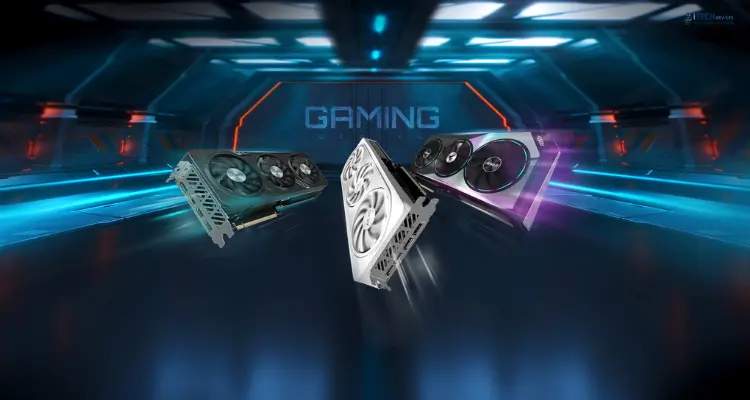


Choosing a graphics card in 2026 comes down to three things: your target resolution, your budget, and how much you value ray tracing versus raw frame rates. With Nvidia's RTX 50 series, AMD's RDNA 4 Radeon RX 9000 cards, and Intel's Battlemage Arc lineup all competing hard this year, there's a genuinely strong option at nearly every price point.
This guide ranks the 10 best graphics cards for gaming PCs right now, broken down by resolution, budget, and VRAM, so you can find the right match for your build without the guesswork.
GPUs Comparison Table
How to Choose the Best Graphics Card in 2026
Before spending thousands of dirhams on the best GPU for gaming 2026, you need to understand what actually matters. Here's your quick GPU buying guide 2026:
Key Factors to Consider:
- VRAM—handles textures, resolutions, and frame buffers.
- 12GB is good for 1440p gaming.
- 16–24GB is ideal for 4K gaming.
- GPU Cores – More cores mean better parallel processing.
- Higher core count = better performance in demanding games.
- Clock Speed determines how fast the GPU processes data.
- Look for boost clocks above 2.5GHz on flagship cards.
- Ray Tracing – Adds realistic lighting, shadows, and reflections.
- Essential for AAA games in 2026.
- DLSS / FSR Support – AI upscaling boosts FPS without losing quality.
- NVIDIA: DLSS 4 | AMD: FSR 4
- Power Consumption (TDP)—Affects electricity use and PSU needs.
- Match your card with a quality PSU; high-end GPUs often need 850W+.
- Price-to-Performance – Get the most gaming value for your money.
- Always check benchmarks versus price before buying.
- Ports & Connectivity – Needed for multiple monitors or VR headsets.
- Minimum: 3× DisplayPort 2.1 + 1× HDMI 2.1
1. Nvidia GeForce RTX 5090 — Best GPU for Ultimate 4K Gaming
Enthusiasts and creators who want the fastest consumer GPU available, no compromises.
The RTX 5090 is Nvidia's flagship Blackwell card, built for 4K gaming at maximum settings with ray tracing fully enabled. It ships with 32GB of GDDR7 memory on a 512-bit bus — a massive jump that also makes it useful for AI workloads and heavy content creation, not just gaming.
Pros: Fastest gaming GPU on the market; huge VRAM headroom for future titles; excellent ray tracing.
Cons: Massive price and power draw; physically large; diminishing returns for anyone gaming below 4K.
2. Nvidia GeForce RTX 5080 — Best High-End 4K Graphics Card
Gamers who want strong 4K performance without flagship pricing.
The RTX 5080 sits well below the 5090 in both price and power draw while still handling 4K gaming comfortably in most titles, especially with DLSS 4 upscaling engaged.
Pros: Strong 4K rasterization and ray tracing; more reasonable power draw than the 5090.
Cons: 16GB VRAM is respectable but no longer generous at this price point given how much AMD and Intel offer lower down the stack; street prices have been running well above MSRP in 2026.
3. Nvidia GeForce RTX 5070 Ti — Best All-Round Enthusiast GPU
Gamers who want the best balance of price, performance, and ray tracing in the Nvidia lineup.
The RTX 5070 Ti is arguably the sweet spot of the RTX 50 series. It handles 1440p at very high frame rates and holds up well at 4K with DLSS 4 assistance, while its ray-tracing performance is a clear step ahead of AMD's closest competitor, the RX 9070 XT.
Pros: Excellent 1440p and 4K performance; best-in-class ray tracing at this price; DLSS 4 support.
Cons: Still expensive relative to launch pricing on last-gen cards; supply has been tighter than lower-tier cards.
4. AMD Radeon RX 9070 XT — Best High-End AMD Gaming GPU
Best for: Gamers who want Nvidia RTX 5070 Ti-level rasterization performance at a lower price.
The RX 9070 XT is AMD's RDNA 4 flagship, and it trades blows with the RTX 5070 Ti in raw rasterization performance — independent testing has found them essentially tied at 1440p in native rendering. Where the 5070 Ti pulls ahead is ray tracing, so your choice here often comes down to how much RT-heavy gaming you do.
Pros: Excellent 1440p and 4K rasterization; generous 16GB VRAM; strong price relative to Nvidia's equivalent tier.
Cons: Ray tracing lags behind the RTX 5070 Ti; no reference/Founders Edition cards, only board-partner designs.
5. AMD Radeon RX 9070 — Best Value Card for 1440p and Light 4K
Best for: Gamers who want most of the RX 9070 XT's capability at a lower price.
The standard RX 9070 keeps the same 16GB VRAM pool as the XT variant but dials back clock speeds and power draw, landing it as one of the better value picks in the current market for 1440p gaming.
Pros: Strong 1440p performance; same 16GB VRAM as the pricier XT; lower power draw.
Cons: Noticeably behind the 9070 XT and RTX 5070 Ti at 4K.
6. Nvidia GeForce RTX 5070 — Best Nvidia GPU for 1440p Gaming
Mainstream 1440p gamers who want Nvidia's software ecosystem.
The RTX 5070 targets the same price bracket as the RX 9070 but with 12GB of faster GDDR7 memory instead of 16GB of GDDR6. AMD wins on raw VRAM capacity, but Nvidia's DLSS 4 and stronger ray-tracing hardware make this a genuinely close call depending on the games you play.
- VRAM: 12GB GDDR7
- MSRP: $549
- Power: Around 250W TDP; 650W PSU recommended
Pros: DLSS 4 with Multi Frame Generation; strong ray tracing for the price; efficient power draw.
Cons: 12GB VRAM is tighter than AMD's 16GB competitors, which could matter in VRAM-hungry titles down the road. Who should buy it: 1440p gamers whose favorite titles support DLSS 4.
7. AMD Radeon RX 9060 XT (16GB) — Best Value Graphics Card Overall
Best for: Gamers who want the strongest price-to-performance ratio in the current market.
The RX 9060 XT 16GB has consistently posted some of the best FPS-per-dollar numbers of any current GPU in independent tracking. At 1440p it trails the pricier RX 9070 by around 18%, but it does so at a much lower cost, making it the card we'd point most budget-conscious 1440p and high-settings 1080p gamers toward.
Pros: Excellent value; generous 16GB VRAM at a budget price; low power draw.
Cons: Not a 4K card; the 8GB variant is a trap for anyone wanting longevity.
8. Nvidia GeForce RTX 5060 Ti (16GB) — Best Nvidia Mid-Range GPU
Best for: 1080p and 1440p gamers who want DLSS 4 features on a mid-range budget.
The RTX 5060 Ti comes in 8GB and 16GB versions — always choose the 16GB model. It competes closely with the RX 9060 XT 16GB in rasterization, and Nvidia's DLSS 4 Multi Frame Generation gives it an edge in supported titles.
Pros: DLSS 4 support; solid 1440p performance; efficient.
Cons: Pricing has been unusually volatile in 2026, with tracked street prices at times nearly double MSRP due to memory shortages — shop carefully.
9. Intel Arc B580 — Best Budget GPU for 1440p Gaming
Best for: Budget builders who still want a real shot at 1440p gaming.
Intel's Arc B580 punches above its price class. With 12GB of VRAM and a wide 192-bit memory bus, it holds up better than similarly priced Nvidia and AMD cards in memory-heavy games, and independent testing has shown it beating the older RTX 4060 in both rasterization and ray tracing at 1440p.
Pros: Outstanding value; generous VRAM for the price; XeSS 2 upscaling.
Cons: Intel's drivers, while much improved, still need more consistent tuning across older or niche titles than Nvidia's or AMD's; best paired with a modern CPU to avoid overhead bottlenecks.
10. Intel Arc B570 — Best Budget GPU for 1080p Gaming
Best for: The tightest gaming budgets that still want a modern, capable card.
The Arc B570 trims VRAM and core count slightly compared to the B580 but remains a genuinely strong 1080p performer, and in some markets it's priced close to entry-level cards from a generation ago while offering meaningfully more VRAM.
Pros: Very affordable; more VRAM than most cards in its price bracket; solid 1080p performance.
Cons: Falls off at 1440p in demanding titles; same driver-maturity caveats as the B580.
Best Graphics Card by Resolution
Best GPU for 1080p gaming
For most 1080p gamers, the Intel Arc B570 or RX 9060 XT 8GB cover the basics well, but if your budget allows even a small step up, the extra VRAM on the Arc B580 or RX 9060 XT 16GB will make your card last noticeably longer as games grow more demanding.
Best GPU for 1440p gaming
This is the most competitive tier in 2026. The RX 9060 XT 16GB wins on pure value, the RTX 5070 is the pick for DLSS 4 fans, and the RTX 5070 Ti or RX 9070 XT are worth the extra spend if you want serious longevity at this resolution.
Best GPU for 4K gaming
The RTX 5080 and RTX 5090 remain the only cards that handle native 4K comfortably at maximum settings, though the RTX 5070 Ti and RX 9070 XT can hold their own at 4K with upscaling enabled.
Nvidia vs AMD vs Intel: Which Brand Is Best for Gaming?
How Much VRAM Do You Need for Gaming?
VRAM needs scale with resolution and texture settings, not just the games themselves:
- 8GB: Fine for 1080p at medium-high settings in most current titles, but increasingly a limiting factor in newer AAA games
- 10–12GB: A comfortable baseline for 1080p and most 1440p gaming
- 16GB: The sweet spot for 1440p with high-resolution textures and for entry-level 4K
- 24GB+: Only necessary for 4K gaming with maximum texture settings, modding, or content creation and AI workloads alongside gaming
Avoid the 8GB variants of the RTX 5060 Ti and RX 9060 XT if you plan to keep your card for more than a year or two — the 16GB versions age noticeably better.
Graphics Card Compatibility Checklist
Before buying, confirm:
- PSU wattage and connectors: Blackwell-generation RTX 50 cards use the 12V-2x6 connector; check whether your power supply has one natively or if you'll need an adapter.
- Case clearance: High-end cards like the RTX 5090 and RTX 5080 are physically large — measure your case before ordering.
- PCIe slot generation: All these cards work in PCIe 4.0 slots, though RTX 50-series cards support PCIe 5.0.
- CPU pairing: A high-end GPU paired with an aging CPU will bottleneck performance, especially with Intel Arc cards, which show more CPU overhead than Nvidia or AMD equivalents.
New vs Used Graphics Cards
Buying used can save money, but weigh the risks:
- Check warranty status. A new card from a retailer typically carries a 2–3 year manufacturer warranty; used cards usually don't.
- Ask about usage history. Cards used for cryptocurrency mining ran at sustained high loads for long periods, which can shorten lifespan.
- Inspect for physical damage and check that fans spin freely with no unusual noise.
- Compare the used price to new. With 2026's price volatility, a used RTX 5060 Ti or RX 9070 XT sometimes isn't much cheaper than buying new — always compare current retailer pricing first.
FAQs
What is the best graphics card for gaming in 2026?
It depends on your resolution and budget. For most gamers, the RTX 5070 Ti or RX 9070 XT offer the best overall balance of price and performance, while the RTX 5090 remains the top choice if budget isn't a concern.
What GPU is best for 1080p gaming?
The Intel Arc B570 or B580 offer the best value at 1080p, while the RX 9060 XT 16GB provides extra longevity if your budget allows.
Is 16GB of VRAM enough for gaming in 2026?
Yes, for the vast majority of gamers. 16GB comfortably handles 1440p and entry-level 4K gaming; only demanding 4K setups with maximum texture settings benefit meaningfully from more.
AMD or Nvidia: which is better for gaming?
Nvidia generally leads in ray tracing and upscaling polish; AMD generally offers more VRAM and stronger rasterization value at the same price. Neither is universally "better" — it depends on your priorities.
Is Intel Arc good for gaming?
Yes, particularly at the budget end. The B580 and B570 offer strong performance-per-dollar and generous VRAM, though driver maturity still trails Nvidia and AMD slightly on older or niche titles.
Should I buy a new or used graphics card?
New is generally safer unless you can verify a used card's condition and history and the discount is substantial. Given 2026's price swings, check current new pricing before assuming a used card is the better deal.