
 Quick Quote



If your Wi-Fi keeps dropping in the back bedroom of your villa, or your office network slows to a crawl the moment more than a dozen people log in, the problem usually isn't your internet plan — it's your wireless access point (or the lack of one). This guide walks through everything you need to know before buying one in the UAE, from the technology behind it to what you should actually expect to pay.
Quick Buying Summary
Before we go deep, here's the short version:
- Home or small villa: A single Wi-Fi 6 mesh-capable AP is usually enough for up to 2–3 floors.
- Large villa or multi-floor home with thick walls: You'll likely need 2–3 wired access points rather than one powerful unit.
- Small office (under 20 people): One to two Wi-Fi 6 access points with cloud management is a solid baseline.
- Growing business or multi-branch company: Choose a cloud-managed ecosystem (like UniFi or Omada) so you can scale without redesigning your network.
- High-density office or co-working space: Prioritize client capacity and wired backhaul over raw Wi-Fi speed.
What Is a Wireless Access Point?
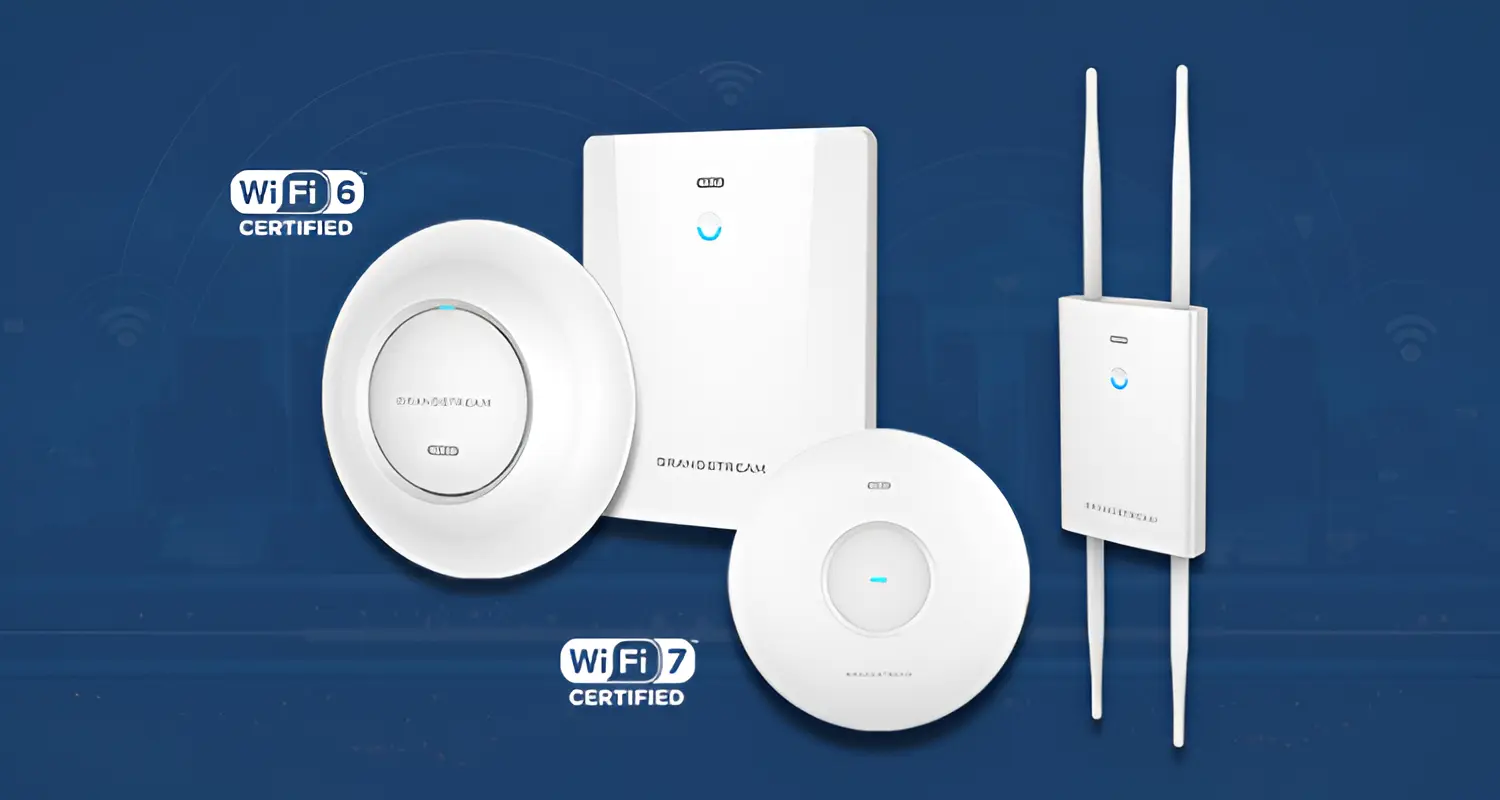
A wireless access point (AP) is a networking device that connects to your wired network — usually via an Ethernet cable — and broadcasts that connection as Wi-Fi so laptops, phones, smart TVs, and IoT devices can connect wirelessly.
Unlike your home router, which typically also handles internet routing, firewall functions, and DHCP, an access point's job is narrower: it extends wireless coverage from an existing wired network. This is why most offices and larger homes end up needing dedicated APs — the router that came with your internet connection was never designed to cover a full villa or a multi-room office.
How Does a Wireless Access Point Work?
An AP plugs into a switch or router using an Ethernet cable, converts that wired signal into a Wi-Fi signal, and manages communication between wireless devices and the rest of your network. Most business-grade APs also handle:
- Client authentication — deciding which devices are allowed to connect
- Band steering — pushing capable devices to the faster 5 GHz or 6 GHz band
- Roaming — handing a device off smoothly from one AP to another as someone walks through a building
In multi-AP setups, a controller or cloud platform coordinates all the access points so they behave as one unified network, rather than several separate Wi-Fi networks competing with each other.
Wireless Access Point vs Router vs Extender vs Mesh
This is one of the most common points of confusion for UAE buyers, so it's worth being precise.
Who Needs a Wireless Access Point in the UAE?
Homes and apartments: If a single router covers your space adequately, you don't need a separate AP. Most apartments fall into this category.
Villas: UAE villas often have concrete and masonry construction across two or three floors, which significantly weakens Wi-Fi signals. A single router in the living room rarely reaches the garden, upstairs bedrooms, or a majlis on the far side of the property. This is one of the most common reasons UAE homeowners search for access points specifically.
Small offices and SMBs: Once you have more than 10–15 people on Wi-Fi simultaneously — laptops, phones, printers, POS systems — a consumer router's wireless radio becomes a bottleneck.
Enterprises: Larger UAE businesses need multiple APs working together under centralized management, often with guest network isolation, VLAN segmentation, and detailed usage analytics.
Types of Wireless Access Points
By installation environment:
- Indoor APs — ceiling or wall-mounted, designed for offices, homes, and retail spaces
- Outdoor APs — weatherproofed for gardens, warehouses, parking areas, and outdoor majlis spaces
By management style:
- Standalone APs — configured individually through a local interface; fine for a single AP
- Controller-managed APs — one physical or virtual controller manages multiple APs on-site
- Cloud-managed APs — managed remotely through a web dashboard or app, ideal for businesses with multiple sites or IT support in another location
Wi-Fi 5 vs Wi-Fi 6 vs Wi-Fi 6E vs Wi-Fi 7 Access Points
This is where a lot of buyers overspend or underspend. Here's what actually changes between generations:
- Wi-Fi 5 (802.11ac): Still functional but increasingly outdated for new purchases. Struggles in device-dense environments.
- Wi-Fi 6 (802.11ax): The current mainstream standard. Uses OFDMA and MU-MIMO to handle many devices simultaneously without slowing down — this matters more in busy offices than raw top speed does.
- Wi-Fi 6E: Adds the 6 GHz band, which is less crowded and better for high-bandwidth tasks, but only benefits you if your devices actually support 6E (most phones from the last 2–3 years do).
- Wi-Fi 7 (802.11be): The newest standard, with wider channels and Multi-Link Operation (MLO) for lower latency. Genuinely useful for high-density enterprise networks and future-proofing, but overkill for most homes and small offices today.
How to Choose the Right Wireless Access Point
Rather than starting with a brand or model, work through these variables in order:
- Coverage area — total square meters and number of floors
- Building construction — concrete and masonry (common in UAE villas) absorb signal far more than drywall
- Number of concurrent users/devices — not just people, but every phone, laptop, smart TV, and IoT device
- Bandwidth needs — video calls and 4K streaming need more headroom than basic browsing
- Wi-Fi standard — Wi-Fi 6 as a baseline, 6E/7 for specific high-demand cases
- Ethernet uplink speed — a great AP is wasted if the switch port feeding it is capped at 100 Mbps
- PoE requirements — does your existing switch supply power, or do you need injectors?
- Security features — WPA3 support, VLAN segmentation, guest network isolation
- Management preference — standalone simplicity vs. controller/cloud scalability
- Scalability — will you be adding more APs or sites later?
How Many Wireless Access Points Do You Need?
The number of access points you need depends mainly on floor area, building layout and materials, number of concurrent devices, bandwidth requirements, and expected signal quality — not on any single factor alone.
It's important to separate two different drivers:
Coverage-driven sizing: You need more APs simply because the physical space is too large or too obstructed for one unit to reach. A three-floor villa with concrete walls is the classic UAE example — even a powerful single AP downstairs often can't reliably reach the top floor.
Capacity-driven sizing: You need more APs because too many devices are trying to connect to one radio at once, even if the signal technically reaches everywhere. A 40-person open-plan office might get full signal strength from one AP, but performance still degrades once too many devices compete for the same airtime.
A rough starting framework:
- Small apartment or 1-floor home: 1 AP
- 2–3 floor villa: 2–3 APs, one per floor
- Small office (up to 15 people): 1–2 APs
- Medium office (15–50 people): 2–4 APs depending on layout
- Large or high-density office: Site survey recommended before purchase
Wireless AP Placement and Coverage in UAE Villas and Offices
Placement matters as much as the hardware itself. General guidelines:
- Mount APs centrally and as high as practical — ceiling mounts generally outperform wall or desk placement
- Avoid placing APs near metal cabinets, thick concrete pillars, or large mirrors, which reflect and block signal
- In villas, plan for one AP per floor rather than relying on a single powerful unit to punch through multiple concrete slabs
- In offices, avoid clustering all APs in one area — spread them to match where people and devices actually sit
- For outdoor majlis areas or gardens, use a dedicated outdoor-rated AP rather than stretching an indoor unit's range
Understanding PoE for Wireless Access Points
Most business-grade access points are powered via Power over Ethernet (PoE), meaning a single Ethernet cable carries both data and power — no separate power socket needed near the ceiling.
- PoE (802.3af): Sufficient for basic APs
- PoE+ (802.3at): Required for most modern Wi-Fi 6 APs with more radios and features
- PoE++ (802.3bt): Needed for high-performance Wi-Fi 6E/7 APs with multiple high-power radios
If your existing network switch doesn't supply PoE, you'll need a PoE injector per AP or a PoE-capable switch — this is a cost that's easy to overlook until installation day.
Cloud-Managed vs Controller-Based vs Standalone APs
- Standalone works fine for a single AP in a home or very small office — configure it once and leave it.
- Controller-based setups (a physical or software controller on-site) suit businesses that want centralized management without depending on internet connectivity to configure their network.
- Cloud-managed setups let you monitor and configure every AP from a browser or app, anywhere — ideal for UAE businesses with multiple branches or those relying on a remote IT provider.
Popular Wireless Access Point Brands in UAE
- Ubiquiti UniFi — popular for scalable home and office deployments with a clean, centralized management app
- TP-Link Omada — a strong, cost-effective option for SMBs wanting controller or cloud management without enterprise pricing
- Cisco — established enterprise-grade choice for organizations prioritizing security and high-density performance
- HPE Aruba — enterprise networking with advanced centralized management, often chosen by larger corporate environments
There's no single "best" brand — the right ecosystem depends on your environment, in-house IT capability, and budget for ongoing management.
Best Wireless Access Point by Use Case
Wireless Access Point Prices in UAE
Prices vary widely by brand, Wi-Fi generation, and intended environment. As a general guide:
- Entry-level Wi-Fi 6 APs (home/small office): often in the lower price bracket, suited to single-AP setups
- Mid-range business Wi-Fi 6 APs with PoE and cloud management: moderate pricing, the most common choice for UAE SMBs
- Enterprise-grade Wi-Fi 6E/7 APs: higher pricing, justified for larger or high-density deployments
Rather than quoting figures that go stale quickly, check current listings with your supplier — but budget for the full deployment, not just the AP itself (see below).
Installation Costs and Additional Hardware
The AP's price tag is rarely the full cost. Also budget for:
- PoE switch or injectors if your current switch doesn't supply power
- Ethernet cabling if wired backhaul needs extending to new AP locations
- Controller hardware or licensing, if using a controller-based (non-cloud) system
- Professional installation, especially for ceiling mounting in villas or multi-floor offices
Thinking in terms of total cost of ownership — AP plus infrastructure plus setup — gives a far more accurate budget than looking at hardware price alone.
Choosing the right wireless access point comes down to matching your specific property, device count, and growth plans to the right technology — not chasing the newest Wi-Fi standard or the most well-known brand. If you're unsure where to start, iTech Devices can help assess your space and recommend a setup that fits both your requirements and budget.
FAQs
What are some good wireless access points to buy?
The right choice depends on your environment. For most UAE homes and small offices, a Wi-Fi 6 AP from an established ecosystem like UniFi or TP-Link Omada offers a good balance of performance and manageability. Larger businesses should evaluate Cisco or Aruba for enterprise-grade features.
How much do wireless access points cost?
Costs range from budget-friendly entry-level units to higher-priced enterprise Wi-Fi 6E/7 models. Total spend should also include PoE infrastructure, cabling, and installation, not just the AP itself.
How many wireless access points do I need?
It depends on floor area, building materials, number of devices, and bandwidth needs. A concrete villa typically needs one AP per floor; a small office may need just one or two, while high-density spaces require a proper site assessment.
Which brand of access point is considered the best?
There isn't a universal "best" — UniFi and Omada suit homes and SMBs well, while Cisco and Aruba are built for enterprise-scale security and density. The right pick depends on your environment and IT support level.
Can one access point cover an entire villa?
Usually not, if the villa spans multiple floors with concrete construction. Most UAE villas perform better with two or three wired APs rather than relying on a single unit to push signals through thick walls and slabs.
Do I need PoE for my access point?
Most business-grade APs use PoE for simpler installation. If your switch doesn't supply power, you'll need PoE injectors or a PoE-enabled switch.